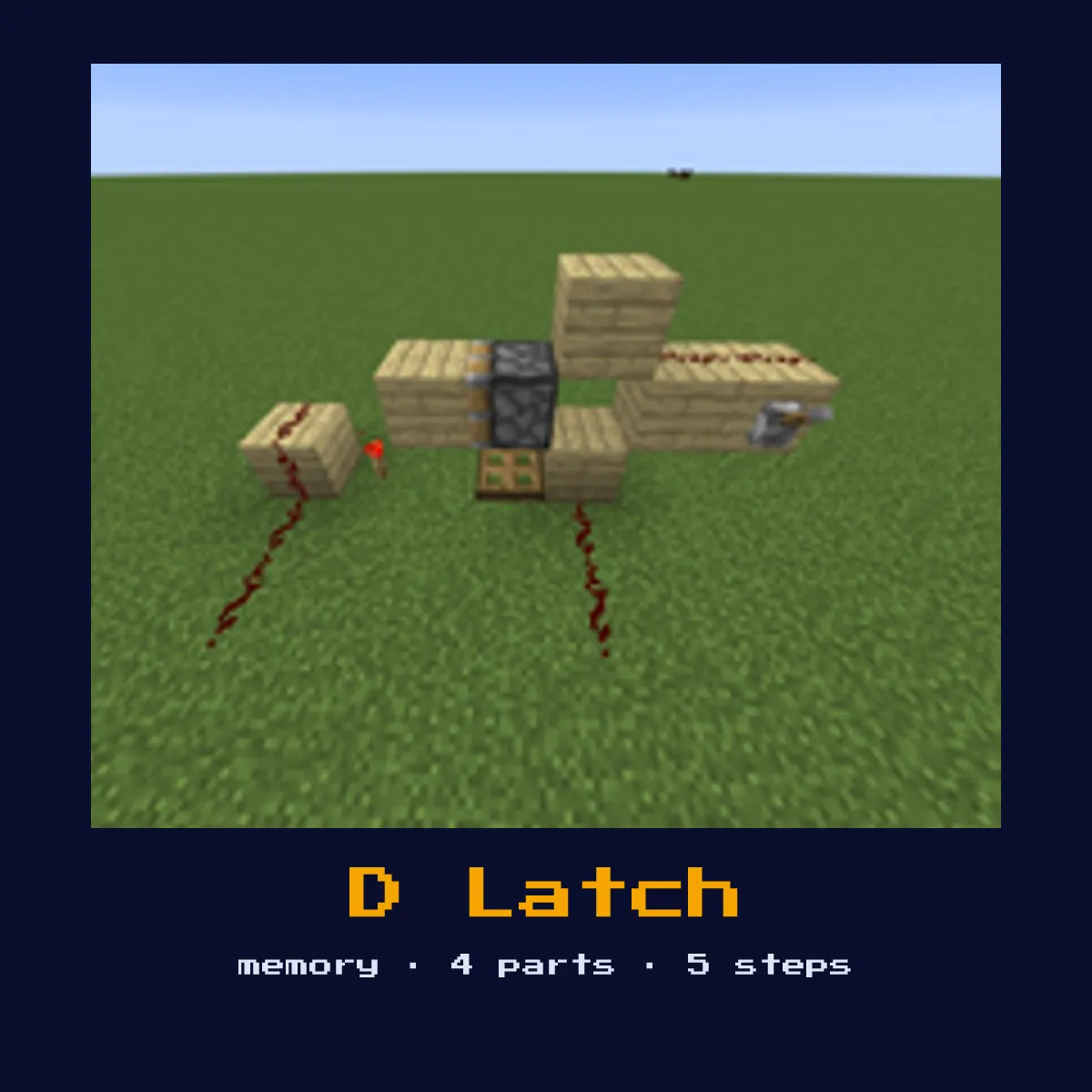
D LATCH (DATA LATCH)
Stores a single bit. Has a Data input and an Enable input. When Enable is ON, the output follows the Data input. When Enable goes OFF, the output freezes at its current state.

When to Use
Sample-and-hold circuits, storing comparator readings, sequential logic, registers for binary computers.
Materials
What D Latch (Data Latch) costs in materials
The parts list for D Latch (Data Latch) works out to 12 crafting ingredients once you make everything yourself, led by 6 Stone, 4 Redstone Torch and 2 Redstone.
The D Latch (Data Latch) leans on Redstone Repeater, Redstone Dust and Redstone Torch, and every one of them is covered in full on its own component page.
| Part of D Latch (Data Latch) | Needed per D Latch (Data Latch) | What one costs to craft |
|---|---|---|
 Redstone Repeater Redstone Repeater | 2 | 3 Stone, 2 Redstone Torch, 1 Redstone |
 Redstone Torch Redstone Torch | as many as the build needs | 1 Redstone, 1 Stick |
Everything a D Latch (Data Latch) adds up to
 6 Stone
- 4 Redstone Torch
 2 Redstone
D Latch (Data Latch) costs are worked out from the crafting recipes in Java Edition 26.2.
Start here: what a D Latch (Data Latch) is and what it does
Stores a single bit. Has a Data input and an Enable input. When Enable is ON, the output follows the Data input. When Enable goes OFF, the output freezes at its current state.
As a memory circuit it stores a state and holds it after the input goes away, giving redstone the equivalent of a saved bit.
Where you tend to meet it: sample-and-hold circuits, storing comparator readings, sequential logic, registers for binary computers. All 5 of the build steps below are written for vanilla Java Edition 26.2.
The D Latch (Data Latch) explained: timing, logic and parts
It wraps an RS latch with two AND gates: when Enable is on, the Data input is steered to Set or Reset so the output copies Data; when Enable goes off, neither can fire and the output freezes at its last value. That is classic sample-and-hold behaviour.
The parts list is short and every single entry on it matters: 2 Redstone Repeaters, redstone Dust, solid Blocks, and redstone Torches. Swap one of them out for something else and the D Latch (Data Latch) stops behaving as it should.
Because this is a memory circuit, the thing to watch as you build is the input isolation, stray power on the wrong line can flip or corrupt the stored state.
How to build the D Latch (Data Latch)
- 1Build an RS latch as the core memory element.
- 2Gate the Set input: AND the Data input with the Enable signal, this feeds Set.
- 3Gate the Reset input: AND the inverted Data (NOT Data) with Enable, this feeds Reset.
- 4When Enable is ON, Data=1 sets the latch, Data=0 resets it (output follows data).
- 5When Enable goes OFF, neither Set nor Reset can fire, output holds.
- 6Power it up and watch one full cycle: confirm it holds its state after you release the input before wiring it into a larger contraption.
Jobs the D Latch (Data Latch) does well
- ▸Sample-and-hold circuits, storing comparator readings, sequential logic, registers for binary computers.
- ▸Repeater-lock D latch (lock a repeater with the enable signal), a variant suited to particular space or timing needs.
- ▸Torch-based D latch (classic gate implementation), a variant suited to particular space or timing needs.
- ▸D flip-flop (edge-triggered version, only captures on Enable edge), a variant suited to particular space or timing needs.
Tips & common mistakes
- !While Enable is high the output tracks Data live, so latch the value by dropping Enable at the exact moment you want to capture it.
- !Label or colour-code your Set/Reset (or Data/Enable) inputs while building; mixing them up is the usual cause of a latch that will not hold.
- !Remember that bare redstone dust loses 1 signal strength per block, so insert a repeater before any run exceeds 15 blocks inside this circuit.
The D Latch (Data Latch) FAQ, answered

What is a D Latch (Data Latch) used for?
A D Latch (Data Latch) is used for sample-and-hold circuits, storing comparator readings, sequential logic, registers for binary computers. As a memory circuit it stores a state and holds it after the input goes away, giving redstone the equivalent of a saved bit.
What do you need to build a D Latch (Data Latch)?
You need 2 Redstone Repeaters, redstone Dust, solid Blocks, and redstone Torches. Build an RS latch as the core memory element.
How does a D Latch (Data Latch) work?
It wraps an RS latch with two AND gates: when Enable is on, the Data input is steered to Set or Reset so the output copies Data; when Enable goes off, neither can fire and the output freezes at its last value. That is classic sample-and-hold behaviour.

Are there different versions of the D Latch (Data Latch)?
Yes, common variants include repeater-lock D latch (lock a repeater with the enable signal), torch-based D latch (classic gate implementation), and D flip-flop (edge-triggered version, only captures on Enable edge). Pick the one that fits your available space and timing requirements.
Circuits that share parts with D Latch (Data Latch)
5 other circuit pages tie straight into D Latch (Data Latch), and here is what the link is: