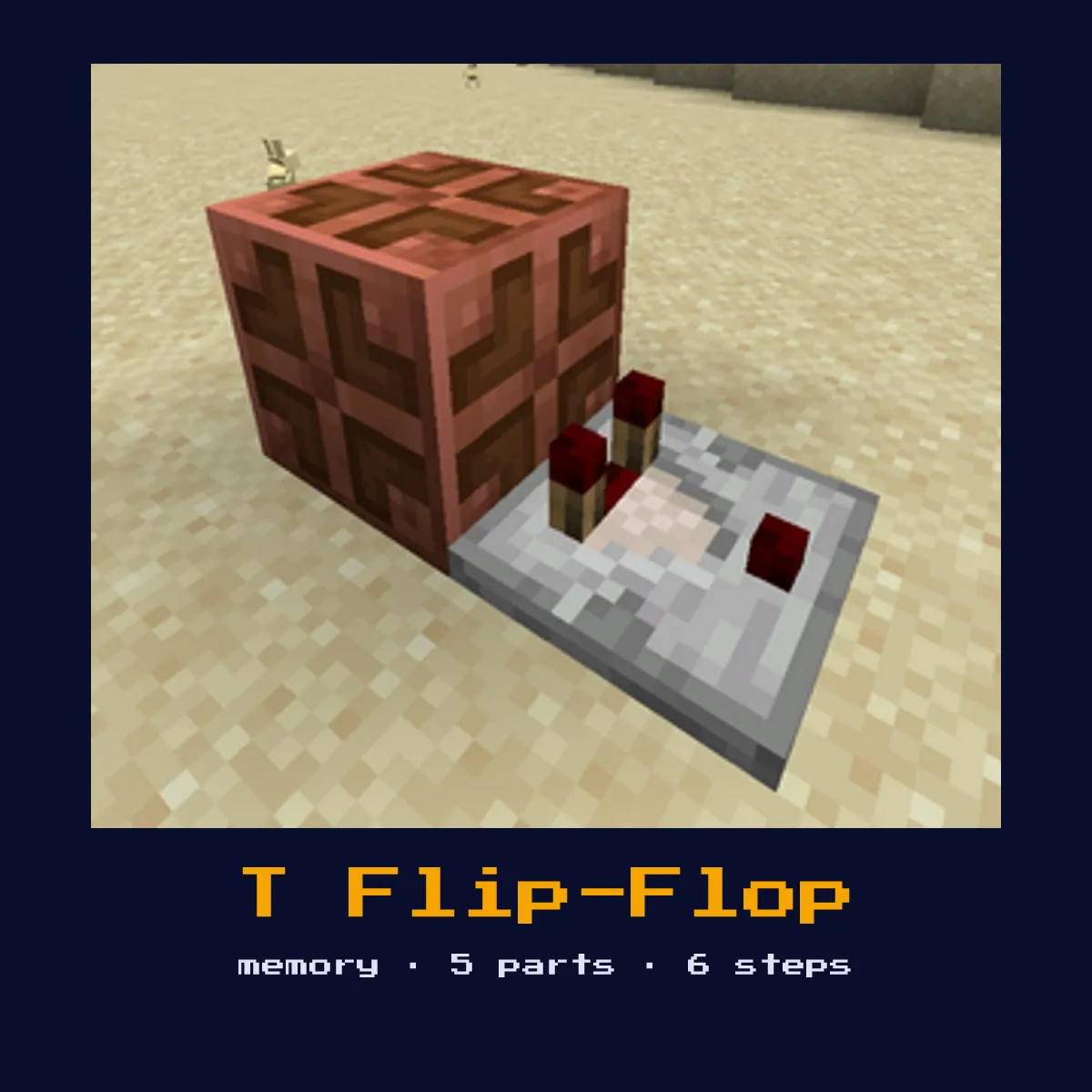
T FLIP-FLOP (TOGGLE)
Toggles its output state with each input pulse. Press once = ON, press again = OFF. Converts any momentary pulse (button) into a toggle switch behavior.

When to Use
Button-operated piston doors, toggle lights, any mechanism that needs on/off switching from a single button.
Materials
T Flip-Flop (Toggle) materials, and what they cost to craft
The parts list for T Flip-Flop (Toggle) works out to 21 crafting ingredients once you make everything yourself, led by 7 Cobblestone, 5 Iron Ingot and 3 Redstone Torch, with 4 other kinds behind them.
Dropper, Hopper and Redstone Comparator each have their own page here, with the signal behaviour and block values that decide how the T Flip-Flop (Toggle) times out.
| Goes into T Flip-Flop (Toggle) | Count in one T Flip-Flop (Toggle) | Price of a single one |
|---|---|---|
 Dropper Dropper | 1 | 7 Cobblestone, 1 Redstone |
 Hopper Hopper | 1 | 5 Iron Ingot, 1 Chest |
 Redstone Comparator Redstone Comparator | 1 | 3 Redstone Torch, 3 Stone, 1 Quartz |
T Flip-Flop (Toggle) written out in raw ingredients
 7 Cobblestone
 5 Iron Ingot
 3 Redstone Torch
 3 Stone
 1 Chest
 1 Quartz
 1 Redstone
Every T Flip-Flop (Toggle) figure in this table is read off the Java Edition 26.2 recipes.
The T Flip-Flop (Toggle) in short: what it is and what it does
Toggles its output state with each input pulse. Press once = ON, press again = OFF. Converts any momentary pulse (button) into a toggle switch behavior.
As a memory circuit it stores a state and holds it after the input goes away, giving redstone the equivalent of a saved bit.
Where you tend to meet it: button-operated piston doors, toggle lights, any mechanism that needs on/off switching from a single button. All 6 of the build steps below are written for vanilla Java Edition 26.2.
What happens inside the T Flip-Flop (Toggle) when it runs
The dropper-and-hopper design moves a single item back and forth on each input pulse, and a comparator reads whether the item is currently in the dropper, flipping the output. One press is on, the next press is off, turning a momentary button into a toggle.
The parts list is short and every single entry on it matters: 1 Dropper, 1 Hopper, 1 Redstone Comparator, 1 Redstone Dust, and 1 Item (any). Swap one of them out for something else and the T Flip-Flop (Toggle) stops behaving as it should.
Because this is a memory circuit, the thing to watch as you build is the input isolation, stray power on the wrong line can flip or corrupt the stored state.
How to lay out a T Flip-Flop (Toggle)
- 1Place a dropper facing up.
- 2Place a hopper on top of the dropper, pointing down into it.
- 3Put one item in the dropper.
- 4Run a redstone comparator out of the dropper to read its contents.
- 5Power the dropper with your toggle input (button).
- 6Each pulse moves the item: dropper → hopper → dropper, toggling the comparator output.
- 7Power it up and watch one full cycle: confirm it holds its state after you release the input before wiring it into a larger contraption.
Where the T Flip-Flop (Toggle) earns its keep
- ▸Button-operated piston doors, toggle lights, any mechanism that needs on/off switching from a single button.
- ▸Dropper-hopper T flip-flop (compact, 1-wide tileable), a variant suited to particular space or timing needs.
- ▸Piston T flip-flop (piston pushes block between two positions), a variant suited to particular space or timing needs.
- ▸Dual-edge T flip-flop (toggles on both press and release), a variant suited to particular space or timing needs.
- ▸JK flip-flop (generalized version with separate J and K inputs), a variant suited to particular space or timing needs.
Tips & common mistakes
- !Feed it a clean single pulse, a bouncy or doubled input can toggle twice and leave the output where it started.
- !Label or colour-code your Set/Reset (or Data/Enable) inputs while building; mixing them up is the usual cause of a latch that will not hold.
- !Remember that bare redstone dust loses 1 signal strength per block, so insert a repeater before any run exceeds 15 blocks inside this circuit.
Questions people ask about the T Flip-Flop (Toggle)

What is a T Flip-Flop (Toggle) used for?
A T Flip-Flop (Toggle) is used for button-operated piston doors, toggle lights, any mechanism that needs on/off switching from a single button. As a memory circuit it stores a state and holds it after the input goes away, giving redstone the equivalent of a saved bit.

What do you need to build a T Flip-Flop (Toggle)?
You need 1 Dropper, 1 Hopper, 1 Redstone Comparator, 1 Redstone Dust, and 1 Item (any). Place a dropper facing up.
How does a T Flip-Flop (Toggle) work?
The dropper-and-hopper design moves a single item back and forth on each input pulse, and a comparator reads whether the item is currently in the dropper, flipping the output. One press is on, the next press is off, turning a momentary button into a toggle.

Are there different versions of the T Flip-Flop (Toggle)?
Yes, common variants include dropper-hopper T flip-flop (compact, 1-wide tileable), piston T flip-flop (piston pushes block between two positions), dual-edge T flip-flop (toggles on both press and release), and JK flip-flop (generalized version with separate J and K inputs). Pick the one that fits your available space and timing requirements.

How do I make a button toggle a piston door on and off?
Put a T flip-flop between the button and the door. Each button press flips the flip-flop's stored state, so the first press opens the door and the next press closes it, all from a single button.
Circuits that share parts with T Flip-Flop (Toggle)
5 other circuit pages tie straight into T Flip-Flop (Toggle), and here is what the link is: