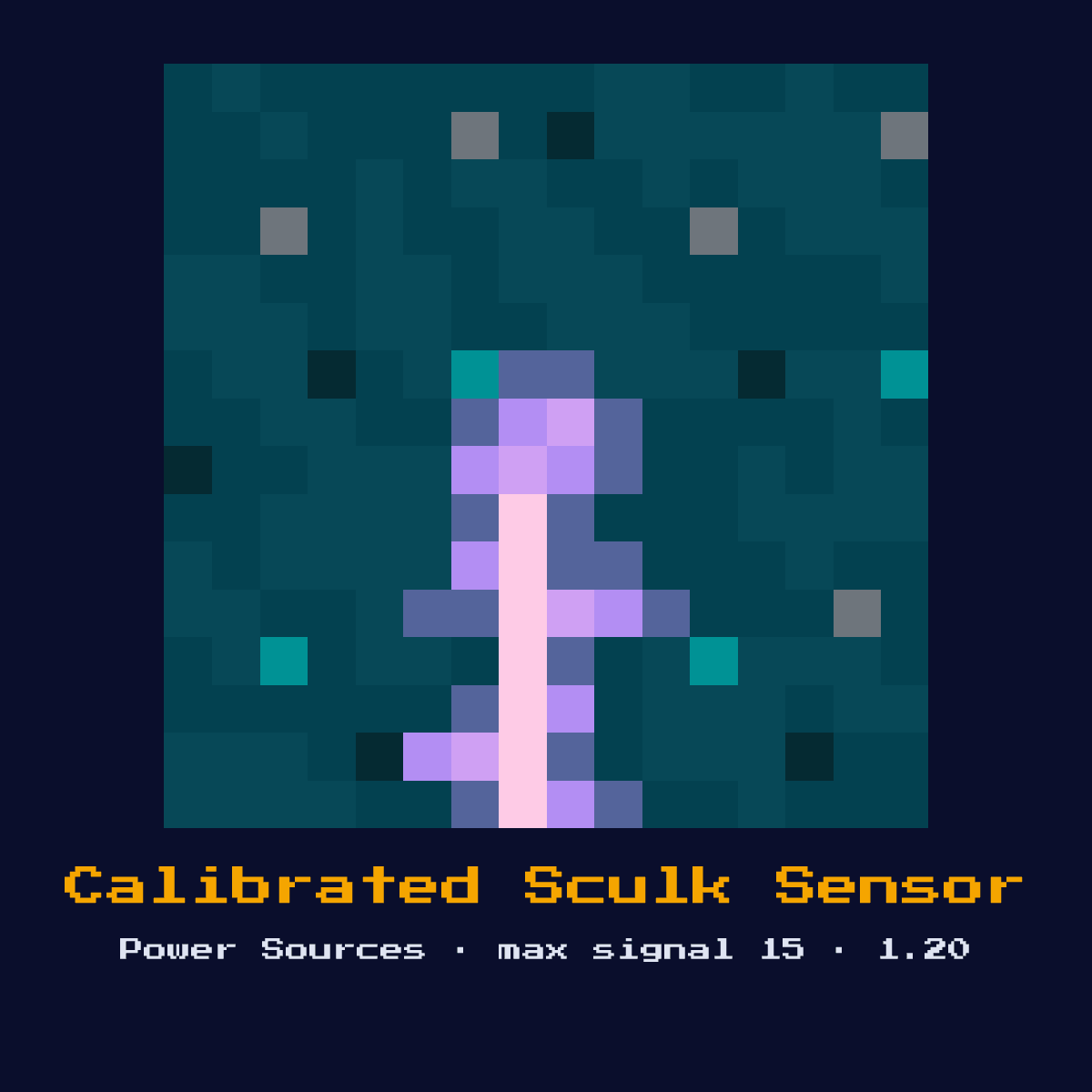
CALIBRATED SCULK SENSOR
A sculk sensor with an amethyst shard filter. Accepts a redstone signal input to filter which vibration frequencies it detects. Only triggers on the specified frequency.

Crafting Recipe
1 Sculk Sensor + 3 Amethyst Shards → 1 Calibrated Sculk Sensor
Signal Behavior
Input
 Input
InputVibrations matching the calibrated frequency
Output
Signal strength 15 when matching vibration detected
Max Signal Strength
15
Delay
Vibration travel time + 2 game ticks
Modes
- Filtered by input signal strength (1-15 = frequency)
Making Calibrated Sculk Sensor: the pattern and the full ingredient count
To craft Calibrated Sculk Sensor you place 3 Amethyst Shard and 1 Sculk Sensor in the shape below, which fills a 3x2 corner of the grid. The craft yields exactly one Calibrated Sculk Sensor for those 4 items.
Count on 3 Amethyst Shard per Calibrated Sculk Sensor; that is where 75 percent of the cost sits.
Calibrated Sculk Sensor in a 3x2 grid, square by square


| Ingredient in Calibrated Sculk Sensor | Number of squares |
|---|---|
| Amethyst Shard | 3 |
| Sculk Sensor | 1 |
| Calibrated Sculk Sensor out of a single craft | 1 |
As the Calibrated Sculk Sensor crafting recipe stands in Java Edition 26.2.
What the Calibrated Sculk Sensor is, and what it does for you
A sculk sensor with an amethyst shard filter. Accepts a redstone signal input to filter which vibration frequencies it detects. Only triggers on the specified frequency.
As a power source it sits at the start of a circuit, generating the signal that everything downstream reacts to. It is the filtered upgrade of the sculk sensor, letting you pick exactly one vibration frequency to react to.
Minecraft 1.20 brought the Calibrated Sculk Sensor in. What follows is how it behaves in Java Edition 26.2.
Inside the Calibrated Sculk Sensor: what the signal actually does
What the Calibrated Sculk Sensor reads: vibrations matching the calibrated frequency. What it gives back: signal strength 15 when matching vibration detected.
Feeding a redstone signal of strength 1-15 into its side input tells it which single frequency to listen for, and it then fires signal 15 only on a matching vibration within its 9-block range. Every other vibration is ignored, which makes it far quieter than a plain sculk sensor.
Timing-wise, factor in vibration travel time + 2 game ticks when you wire it into a sequenced circuit.
The Calibrated Sculk Sensor tops out at 15. Count 15 blocks of bare dust away from it and the signal has fallen to nothing at all.
These are the modes you can put the Calibrated Sculk Sensor into, and each one changes what comes out: filtered by input signal strength (1-15 = frequency).
How to set up the Calibrated Sculk Sensor
- 1Craft the Calibrated Sculk Sensor: 1 Sculk Sensor + 3 Amethyst Shards → 1 Calibrated Sculk Sensor.
- 2Set the Calibrated Sculk Sensor down facing the way the signal has to travel, on a block that will actually hold it in place, with the dust already run out on the far side.
- 3Run redstone dust away from it toward the component you want to control, remembering the signal will fall by 1 per block.
- 4Before it goes anywhere near a real build, run the Calibrated Sculk Sensor on its own a few times over and check every result against the timing figures listed above this step.
Where the Calibrated Sculk Sensor earns its keep
- ▸Frequency-specific detection
- ▸Advanced wireless systems
- ▸Event filtering
- ▸Selective mob detection
Tips & common mistakes
- !Must set input signal to define which frequency to detect
- !Only detects one frequency at a time
- !If you forget to set the input frequency it defaults to listening for nothing useful, always drive the calibration input to the frequency you want.
Calibrated Sculk Sensor FAQ: the questions people ask
What do redstoners actually build with the Calibrated Sculk Sensor in Minecraft?
The Calibrated Sculk Sensor is most often used for frequency-specific detection, advanced wireless systems, event filtering, and selective mob detection. As a power source it sits at the start of a circuit, generating the signal that everything downstream reacts to.

How far does the Calibrated Sculk Sensor push a signal?
Up to 15 out of the Calibrated Sculk Sensor, and not a level more than that. Signal strength 15 when matching vibration detected.

How do you craft the Calibrated Sculk Sensor?
1 Sculk Sensor + 3 Amethyst Shards → 1 Calibrated Sculk Sensor. It was introduced in 1.20.

Does the Calibrated Sculk Sensor add any delay to a circuit?
Yes, vibration travel time + 2 game ticks. Account for that timing when chaining it with other components, especially in clocks and fast doors.
Components that connect to Calibrated Sculk Sensor
Where to go next from Calibrated Sculk Sensor: 6 component pages with a real connection to it.
 Sculk Sensor, the Calibrated Sculk Sensor recipe asks for 1 of these
 Heavy Weighted Pressure Plate, one of the 13 in the same group
 Light Weighted Pressure Plate, another of the 13 components in this group
 Daylight Detector, another of the 13 components in this group
 Tripwire Hook, another of the 13 components in this group
 Redstone Torch, sits in the same group of 13 as Calibrated Sculk Sensor
Calibrated Sculk Sensor as a block: the four numbers that matter most
Bring a hoe: Calibrated Sculk Sensor has a hardness of 1.5.
Calibrated Sculk Sensor resists explosions to 1.5, the same as its hardness, which means TNT clears it. It glows at 1 whether it is powered or not.
| Calibrated Sculk Sensor | What Java Edition says |
|---|---|
| Calibrated Sculk Sensor hardness | 1.5 |
| Calibrated Sculk Sensor blast resistance | 1.5 |
| Fastest tool on Calibrated Sculk Sensor | hoe |
| Light out of Calibrated Sculk Sensor | 1 |